

Settings
This section explains how delivery providers can manage their **company details, and user accounts** within the Muvx Admin Panel.
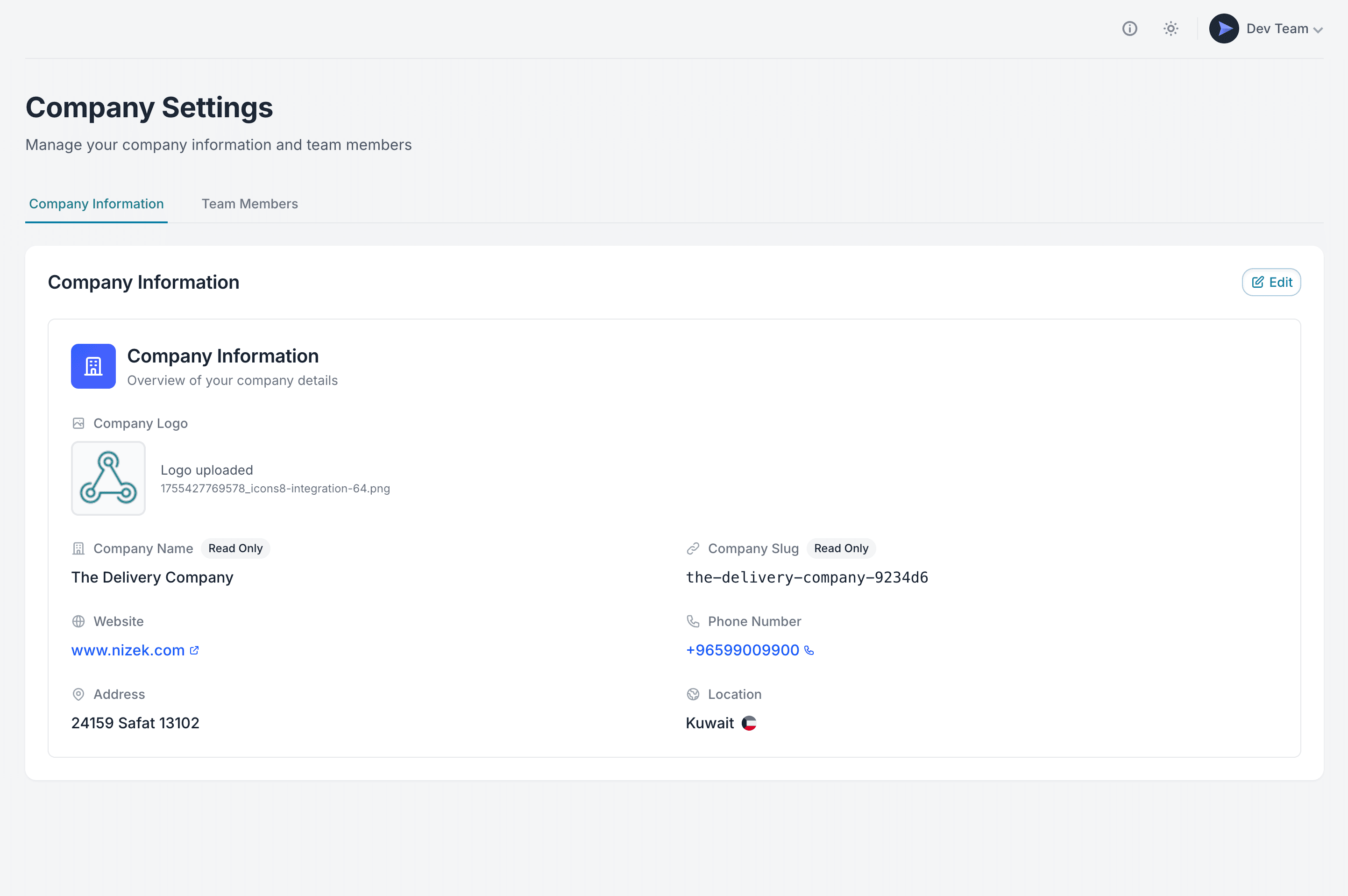
Company Information
This page shows the registered details of your company in Muvx.
Some fields are read-only (set during onboarding), while others can be updated by admins.
- Company Logo — Upload or change the official company logo (PNG, JPG, WebP up to 5MB, square format recommended).
- Company Name — Displayed as the official company name (read-only).
- Company Slug — A unique system identifier for your company (read-only).
- Website — Public website of the company.
- Phone Number — Contact number for operations.
- Address — Physical office address.
- Location — Country of operation, shown with flag.
Click Edit to update editable fields, then save changes.
Team Members
Manage the list of people who have access to your company’s Delivery Provider Panel in Team Members tab.
-
List View: Each row shows the member’s name, email, and assigned role.
-
Roles:
- Owner — Has full control over the company account (cannot be removed).
- Admin — Can invite members, edit company information, and manage integrations.
- Viewer — Read-only access; can see data but cannot make changes.
-
Invite Member: Add a new team member by entering their email and selecting a role.
The user receives an invitation email and can also accept the invitation directly from their User Settings page. Once accepted, they appear in the list with the assigned role.
• Only Admins and the Owner can manage team members.
• Assign roles carefully to maintain account security.
• Multiple admins can exist, but there is always exactly one owner.
User Settings
The User Settings section is identical to the one available for Merchants.
It covers personal account information, security options, and notification preferences.
For detailed explanations, please refer to the shared documentation here:
Admin Panel Manual — User Settings